
Look. If your frame time is dying from CPU rendering overhead (draw calls, SetPasses, state changes), you do not need another month of "rendering tweaks". You need a blunt answer: can GPU Resident Drawer save you real CPU time, or is it a trap for your content?
This is Unity's GPU-driven rendering path (still preview in the lesson). And yes: it can be close to plug-and-play if you respect the constraints. In the lesson, the "get most of the wins" bar is brutally low: around 2 hours of setup + benchmarking for roughly 70% of the gains.
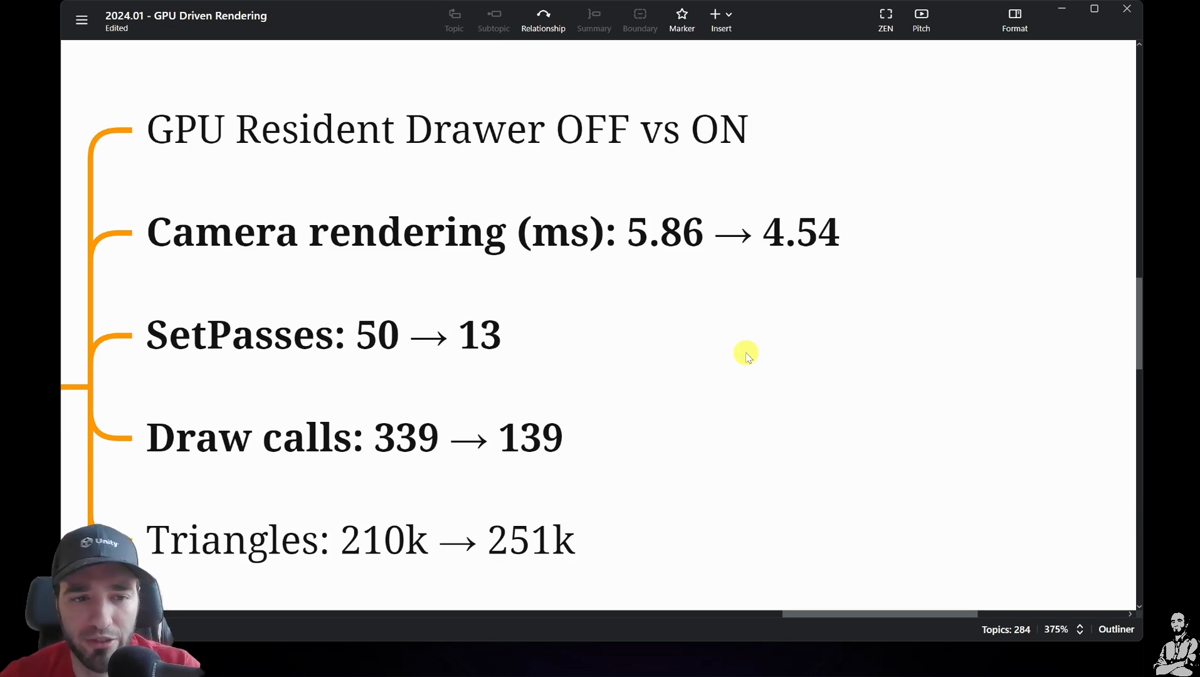
The proof is numbers, not vibes. Here is one benchmark snapshot (Android + Vulkan in the lesson): camera rendering 5.86ms -> 4.54ms, SetPasses 50 -> 13, draw calls 339 -> 139. That's about 20% less rendering cost in that scenario, with a few settings flips and a clean baseline.
Here is the 10-minute sanity checklist from the module to get it running without doing amateur hour:
- Use a modern graphics API for your target: Vulkan / Metal / DX12 (the lesson also calls out RenderDoc pain with DX12).
- In URP, switch rendering to Forward+.
- Disable Static Batching (then measure, because exceptions exist, but this is the default recommendation in the module).
- In Graphics, set BRG shaders to Keep All.
- In Lighting, enable Fixed Lightmap Size (module notes this matters for the lightmap path).
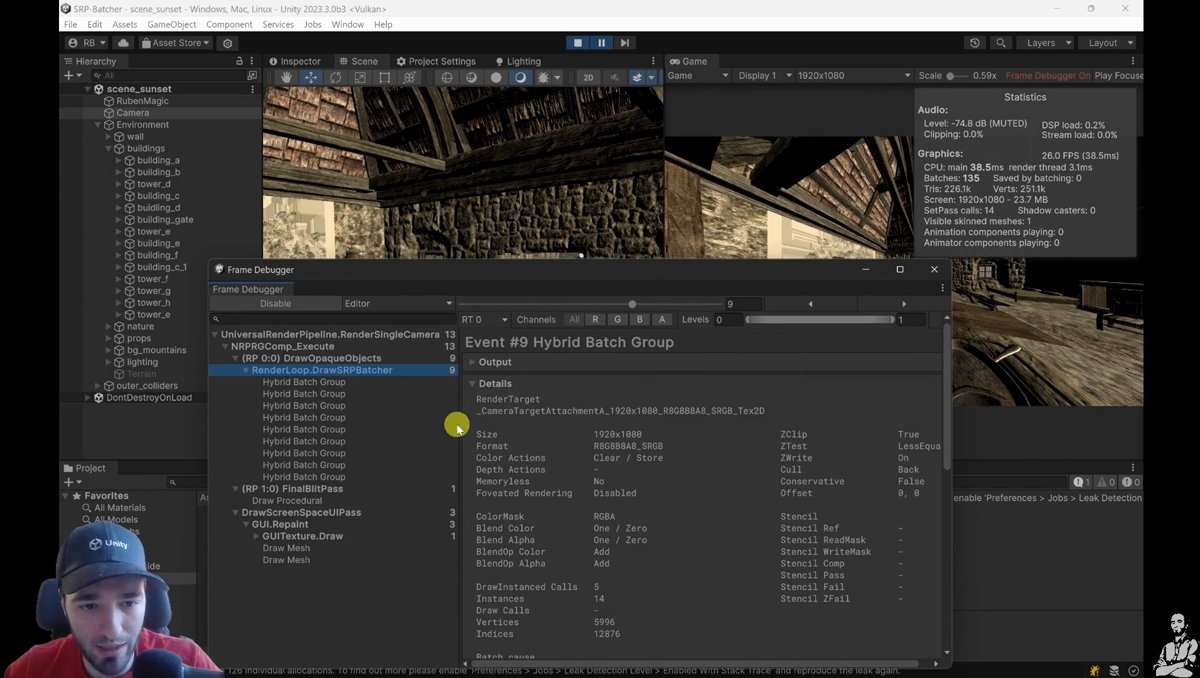
Now, how do you know it’s actually on? Easy: hit Play, open Frame Debugger, and look for draw events named like Hybrid Batch / Hybrid Batch Group. If you don’t see those, you are not getting the pipeline you think you are getting.
Reality check: this tech is still “GPU instancing with extra stuff”. If your project is a soup of shader variants and unique materials, you’re starving the system. The module’s priority order is blunt: reduce shader variants first, then unique materials, then unique meshes and state changes.
CEO/Producer translation: this is a fast way to reclaim CPU budget and reduce the "we need a rendering rewrite" panic. But only if you benchmark it like an adult and ship the win after the baseline proves it.
This is a tiny preview. The complete members-only module starts below this point: the full step-by-step checklist, the optimizer decision rules (including when Static Batching hurts), the programmer-level internals (where the code lives, key types, and player-loop timing gotchas), plus the full benchmark flow, exercises, and the full video/resources.
In this module:
- 1. GPU Resident Drawer: User-Space
- 2. GPU Resident Drawer: Optimizer-Space
- 3. GPU Resident Drawer: Programmer-Space
- 4. GPU Resident Drawer: Benchmark & Exercises
Join to unlock the full module, audio, and resources.